Flight Simulator
Throttle to the wall and pray for lift as you fight the physics of a 50-ton bird in a high-stakes 3D arena! Flight Simulator skips the fluff and puts you straight in the captain’s seat, where the line between a “buttery smooth” landing and a fiery stall is just a few pixels of pitch.
Aviator Intelligence: The “No-Crash” Meta
- The “V1” Speed Secret: Don’t just yank the stick back. If you try to rotate (take off) before your airspeed hits the sweet spot, the game’s physics engine will stall you out instantly. Wait for the needle to climb, then give it a gentle tap up.
2. Throttle Management is Life: Most rookies leave the throttle at 100% until they hit the ground. Bad idea. For a stable approach, cut your power to 30-40% once you’re lined up with the runway to avoid overshooting the tarmac.
3. Master the “Flare” or Face the Bounce: In this sim, landing flat usually results in a catastrophic bounce. About 10 feet off the ground, pull your nose up slightly to “flare.” It bleeds off your vertical speed and lets the back wheels do the heavy lifting.
Flight School: How to Play & Controls
Engine Start: Crank your throttle (I key) and keep the nose straight using the rudders.
Rotation: Once at speed, pull back (Down Arrow) to climb. Don’t go too steep or you’ll lose lift.
The Approach: Line up, drop your gear (G), and adjust your flaps (F) to stay airborne at lower speeds.
The Pilot’s Keyboard:
I / K: Increase/Decrease Throttle (Your lifeblood).
W / S (Arrows Up/Down): Pitch control (Inverted like a real yoke—Down = Up).
A / D (Arrows Left/Right): Roll and Bank.
Q / E: Rudder/Yaw (Crucial for runway alignment).
G: Landing Gear (Don’t forget this, or it’s a belly slide).
F / V: Flaps (Use these to ‘float’ during landing).
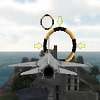
Unforgiving Flight Dynamics: This isn’t your typical mobile arcade flyer. The input sensitivity is high, meaning you have to fly with “feather touches.” It feels closer to a lightweight Steam sim like X-Plane than a basic browser game.
3D Performance & Clipping: While PS5 sims have infinite draw distance, this version is optimized for browser speed. You get a surprisingly clean 3D render of the terrain that runs lag-free even on a standard school PC.
Zero-Hassle Unblocked Access: No APK downloads, no 100GB Steam installs. This is the “No Download” solution for gamers who want to practice their patterns during a 10-minute break.
The “Buttery” Moment: Nothing beats the high of fighting a crosswind with your rudder (Q/E) and sticking a landing so smooth the game’s physics engine doesn’t even shake the camera.
Game Highlights
✈️ Game Type: Hardcore 3D Flight Sim
🏗️ Physics Engine: High-Sensitivity Aerodynamics
🕹️ Complexity: 8/10 (Not for “spam-clickers”)
🛠️ Key Features: Working Flaps, Gear, and Stall Logic
Common Questions about Flight Simulator Game
Why does my plane keep stalling during takeoff? You’re likely pulling up too early or too steeply. Level out, build more airspeed (I key), and rotate gently at higher speeds.
Can I play Flight Simulator on mobile? Yes, but be warned: the touch-controls require even more precision than the keyboard. It’s a “Play for Free” experience with no app required.
Is Flight Simulator unblocked for school? Absolutely. It’s hosted as an HTML5 web game, making it fully unblocked on Chromebooks and school networks without a download.